AI product photography from one photo
Orbivo's Product Images module turns a single photo of your product into studio-grade product shots from different angles, on a set in your label's colors. No studio day and no reshoot for every angle: add the product once, pick how many frames you need, and download the files for your store, your marketplace listings and your ads.
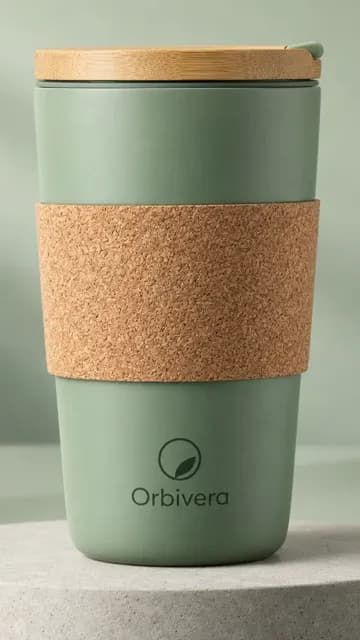
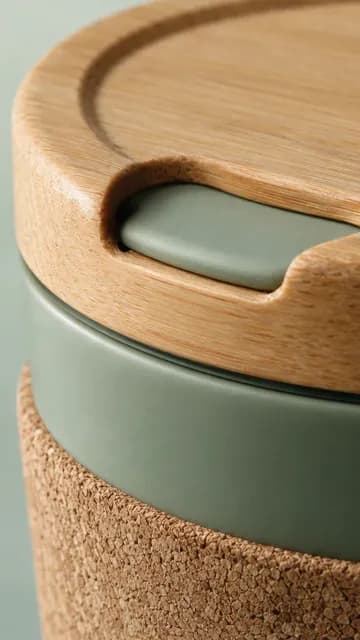
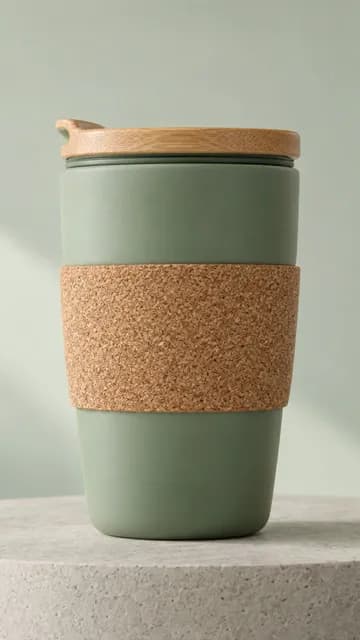
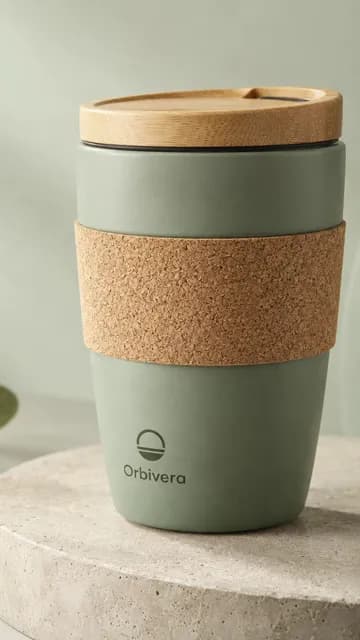
Examples, made by Orbivo from one product
What you get
Each run makes one to eight square 1:1 images, four by default. Every frame has its own camera, so a run of eight covers the product from the front, at three-quarter, in profile, as a close detail, from above, inside, from low on the surface and from the back. The sides your photo does not show are worked out from the product's construction and the notes you add about it.
The frames carry no added text, no collage and no second product: each file is one clean product shot.
How a run goes
Add the product from its page link, or type it in and upload a clear photo of it. Open Product Images, choose the number of frames, and check the credit cost the Start button shows before anything is made. The frames are made in the background; when they are ready, preview each one, download a single file, or take the whole run as a ZIP.
Beyond packshots
When a person should wear or hold the product, Model Images places it on one consistent character in 4:5 portrait frames, up to eight a run. When you are building a whole product page, the Store Kit makes eight product photographs, one in-use video and four wordless landing frames from a packshot, and hands them over with their copy in one ZIP.
What it costs
Product Images is paid with credits. Each frame is one image, and the studio shows the exact total before you start, so a run of four costs less than a run of eight. A frame that fails gives its credits back automatically, and credits from a plan or a pack do not expire while your account is open.
Who it fits
Online sellers and brands that list products on their own store and on marketplaces, and need consistent photos across a catalogue without a studio day for every new item. The images are made by AI models, so check each one against the real product, its color, its shape and its label, before it goes live.
Questions
What photo should I upload?
A clear, well-lit photo of the real product, with its label readable. The studio keeps the product's look from that photo and builds the other angles from it, so a sharp picture gives better frames than a small or blurred one.
Will the product look exactly like mine?
The studio works from your photo and keeps it as the reference, but the images are generated by AI models and can contain errors or visual flaws. Compare every frame with the real product before you publish it, and run it again when a detail is off.
Can a model hold or wear the product?
Yes, with Model Images. Save a character with a picture once, and each run places the product on that same person in 4:5 portrait frames, from up to eight different angles.
Who owns the photos?
As between you and Orbivo, the rights to the images the studio makes for you are yours, and so are the rights to the photo you upload. You confirm that you may use what you upload, and you are responsible for how you use the results.
Make the first set today
Create a workspace, add a product, and pick a plan or a credit pack when you are ready to start a run.